Own Every LinkedIn Conversation. Protect Your History, Power Your HubSpot AI.
Most LinkedIn data never makes it into your CRM. LinkSync bridges the gap, automatically capturing conversation history so you own the relationship and your HubSpot AI generates better insights.
The Business Impact
Transform how your team captures, owns, and leverages LinkedIn relationships
Company Data Ownership
Conversations belong to your company, not individual employees. When team members leave, relationship history stays with you—preserving institutional knowledge and customer context.
Complete Conversation History
Most LinkedIn conversations never make it into your CRM. LinkSync automatically captures every message, ensuring your HubSpot AI has complete context to generate better insights and recommendations.
Relationship Continuity
Track every touchpoint and status change. When accounts change hands internally, new reps inherit complete interaction history—no lost context, no starting from scratch.
Smarter AI Insights
HubSpot AI delivers better recommendations when it has more data. Automatically feed your AI complete LinkedIn activity so it can identify patterns, suggest next steps, and predict outcomes.
See It In Action
Real examples of LinkSync working with LinkedIn and HubSpot
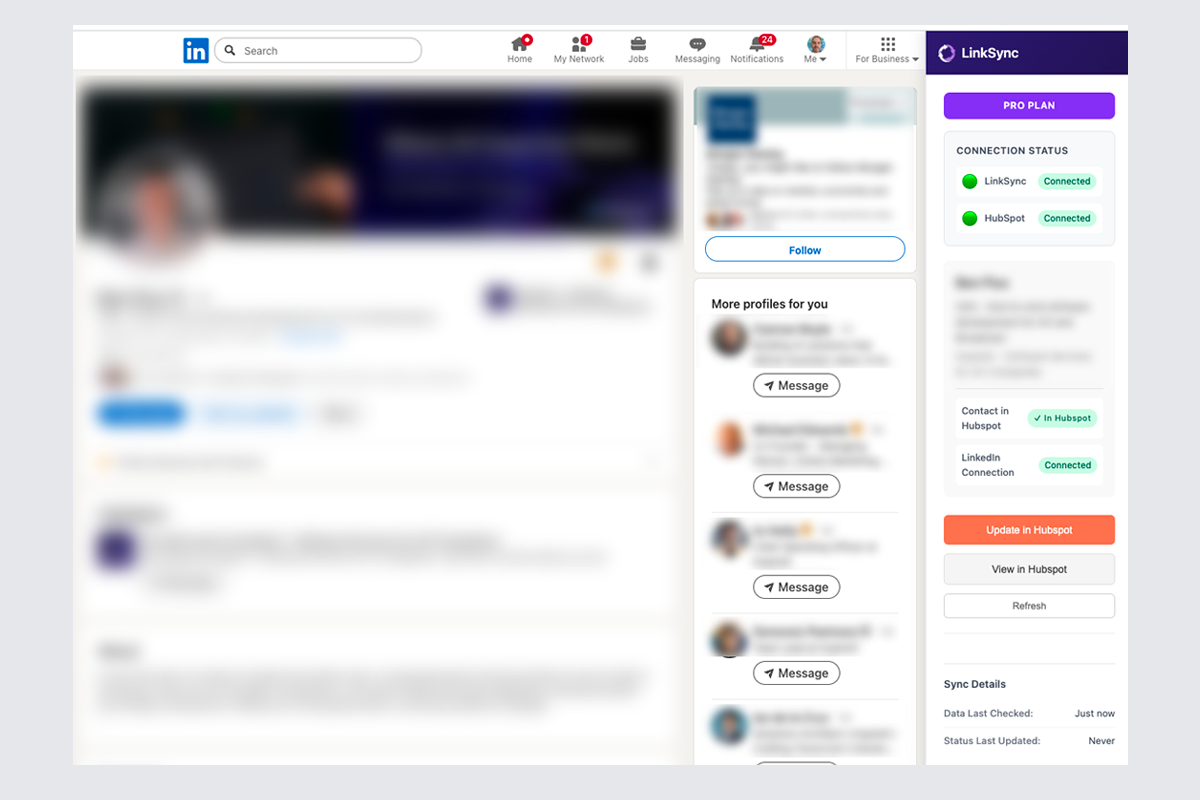
LinkedIn Sidebar
View contact details and sync status directly in LinkedIn
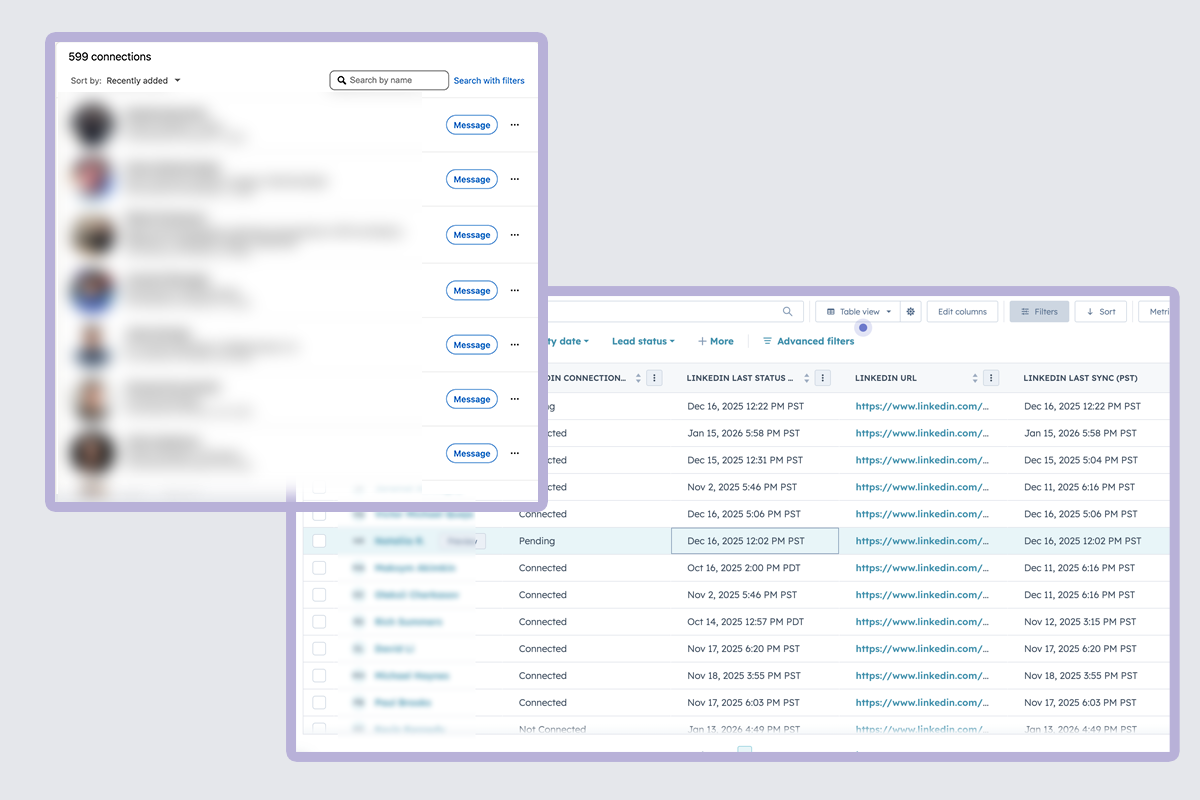
Connection Monitoring
Track connection requests and status changes automatically
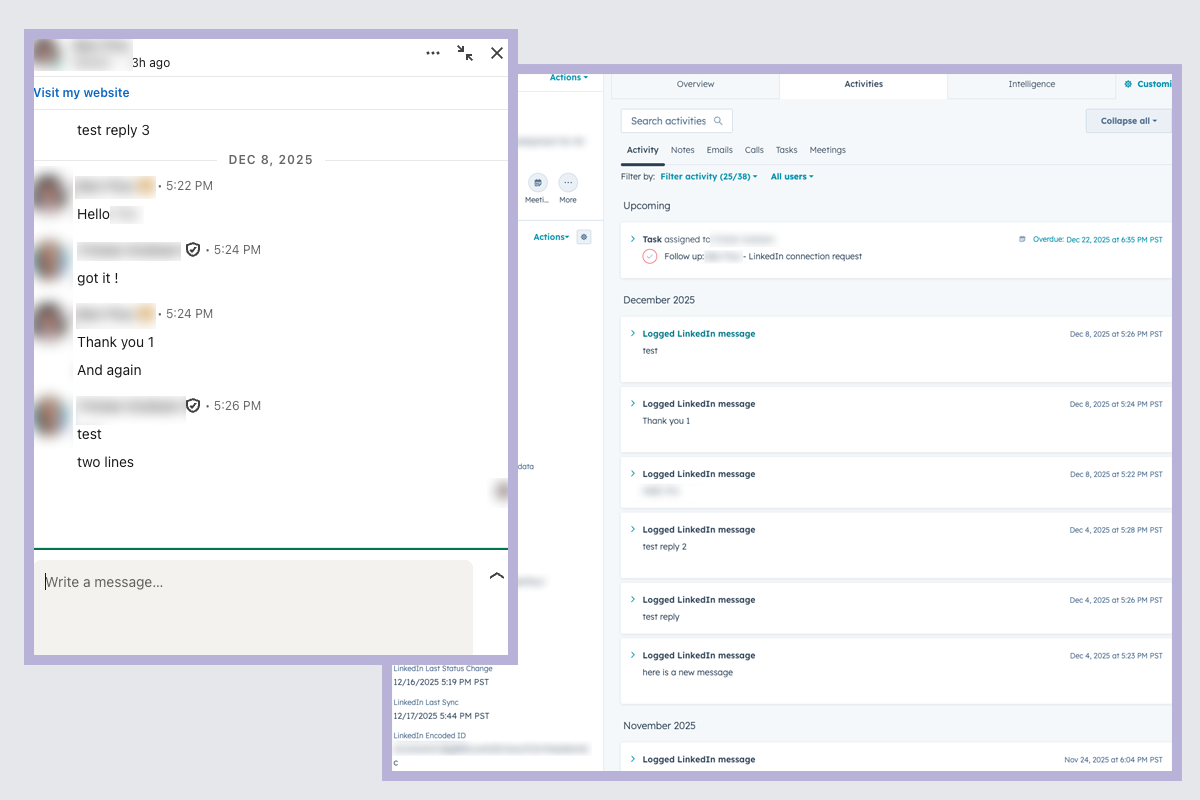
Chat Synchronization
LinkedIn messages automatically synced to HubSpot
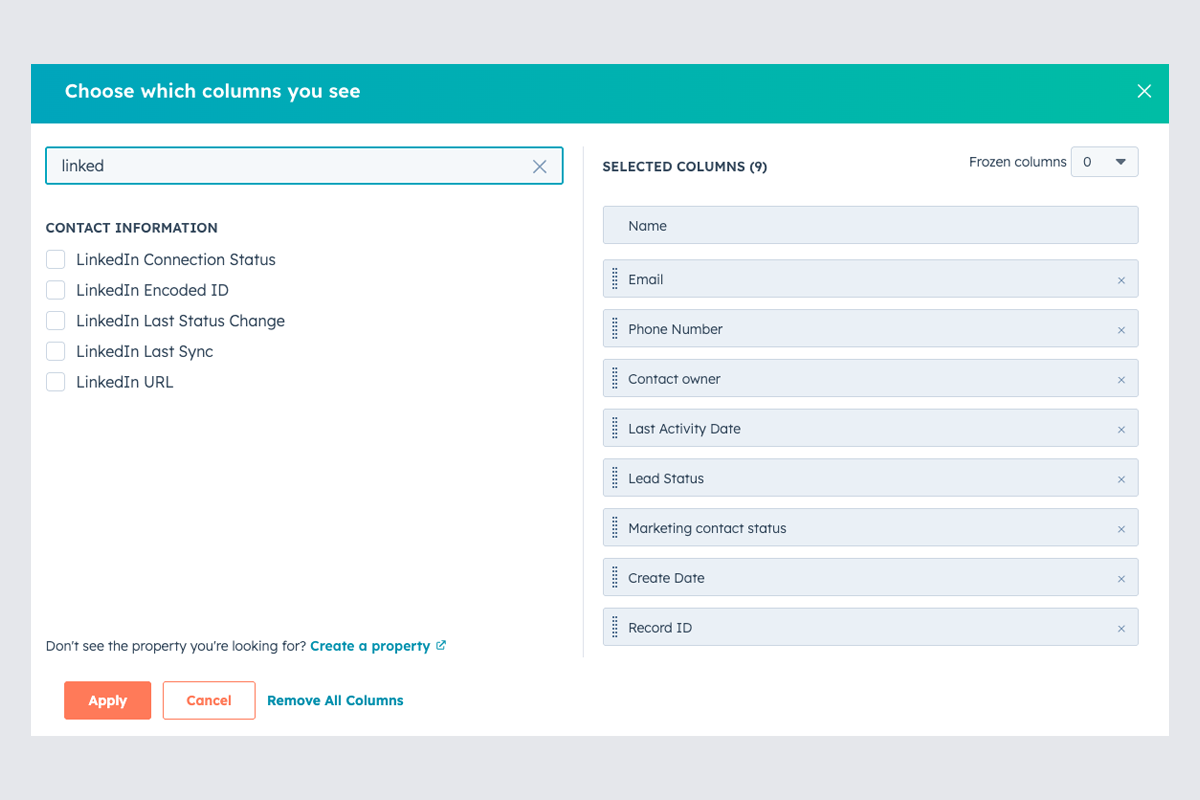
HubSpot Integration
LinkedIn data seamlessly populated in HubSpot contact records
How It Works
Get started in minutes with these simple steps
Install Chrome Extension
Add LinkSync to your browser in seconds
Connect Your HubSpot Account
Secure OAuth connection to your HubSpot CRM
Browse LinkedIn and Click to Save Profiles
Click to save profiles while browsing LinkedIn
Build Workflows Triggered by Connection Activity
Create workflows based on connection status changes
Why Data Ownership Matters
Protect your LinkedIn relationships and power your HubSpot AI with complete conversation history.
Company Knowledge Retention
When employees leave, their LinkedIn history leaves with them—unless you capture it. LinkSync ensures every conversation, connection, and interaction stays with your company, protecting relationships worth millions from walking out the door.
- ✓Relationship data persists beyond employee tenure
- ✓New team members inherit complete conversation context
- ✓Zero knowledge loss during transitions
AI-Ready Data Pipeline
HubSpot's AI capabilities are only as good as the data you feed them. LinkSync ensures your AI has complete LinkedIn interaction history—powering better lead scoring, deal insights, and predictive recommendations.
- ✓Complete conversation history for AI analysis
- ✓Better predictions from comprehensive data
- ✓Automated insights based on LinkedIn patterns
Turn Data into Action
LinkSync doesn’t just capture data—it powers intelligent automation. With complete conversation history in HubSpot, your workflows trigger at the right moments and your AI suggests the right next steps.
- Trigger follow-ups based on conversation momentum and response patterns
- Launch personalized sequences with full conversation context for higher engagement
- AI identifies at-risk relationships based on engagement patterns and message cadence
- New account owners inherit complete interaction history and AI-suggested next steps
Workflow Automation Example
Visual representation of workflow triggers and automation
Ready to streamline your LinkedIn workflow?
Start syncing your LinkedIn activity to HubSpot today
Get Started Free